

In the realm of digital artistry, where polygons dance with light and imagination breathes life into static forms, few styles captivate the soul quite like the whimsical, hand-painted aesthetic of Studio Ghibli. The studio’s signature look—soft edges, vibrant yet muted colors, and a dreamlike quality—has transcended animation to inspire a new wave of 3D artists. Crafting a Ghibli-style tree in three dimensions isn’t just about modeling; it’s about evoking the soul of a handcrafted illustration within the rigid framework of polygons. This guide will unravel the secrets behind achieving that anime non-photorealism magic, from the foundational shapes to the final, ethereal touches that make your tree feel plucked straight from a fairy tale.
Imagine a forest where every leaf shimmers with the same gentle glow as a watercolor stroke, where the bark tells a story of ancient whispers, and where the shadows are as soft as a child’s memory. That’s the power of Ghibli-style 3D art. It’s not about hyper-realism; it’s about emotional resonance. The trees in films like My Neighbor Totoro or Princess Mononoke aren’t just background elements—they’re characters, imbued with personality and charm. To replicate that in 3D requires a blend of technical precision and artistic intuition, a dance between the digital and the hand-drawn. Whether you’re a seasoned 3D artist or a curious beginner, this journey will equip you with the tools to transform your digital canvas into a living, breathing Ghibli masterpiece.
The Anatomy of a Ghibli Tree: Breaking Down the Silhouette
Before diving into the intricacies of textures and lighting, it’s essential to understand the foundational structure of a Ghibli-style tree. Unlike the rigid, photorealistic trees found in many 3D environments, Ghibli trees thrive on organic imperfections and exaggerated proportions. Start with a simple base—a broad, rounded canopy that tapers gently toward the trunk. The trunk itself should be thick and textured, with visible knots and grooves that hint at age and resilience. Avoid perfect cylinders; instead, let the trunk twist and curve organically, as if shaped by centuries of wind and rain.
The branches are where the magic begins. In Ghibli’s world, branches aren’t just skeletal structures; they’re expressive limbs that seem to sway with unseen breezes. Use a combination of spline-based modeling and manual sculpting to create branches that fork unpredictably, with some growing upward in a joyful arc and others drooping downward like a weary elder. The key is asymmetry—no two branches should mirror each other. Add subtle bends and kinks to mimic the natural growth patterns of real trees, but don’t overdo it. The goal is to strike a balance between realism and stylization, where the tree feels familiar yet fantastical.

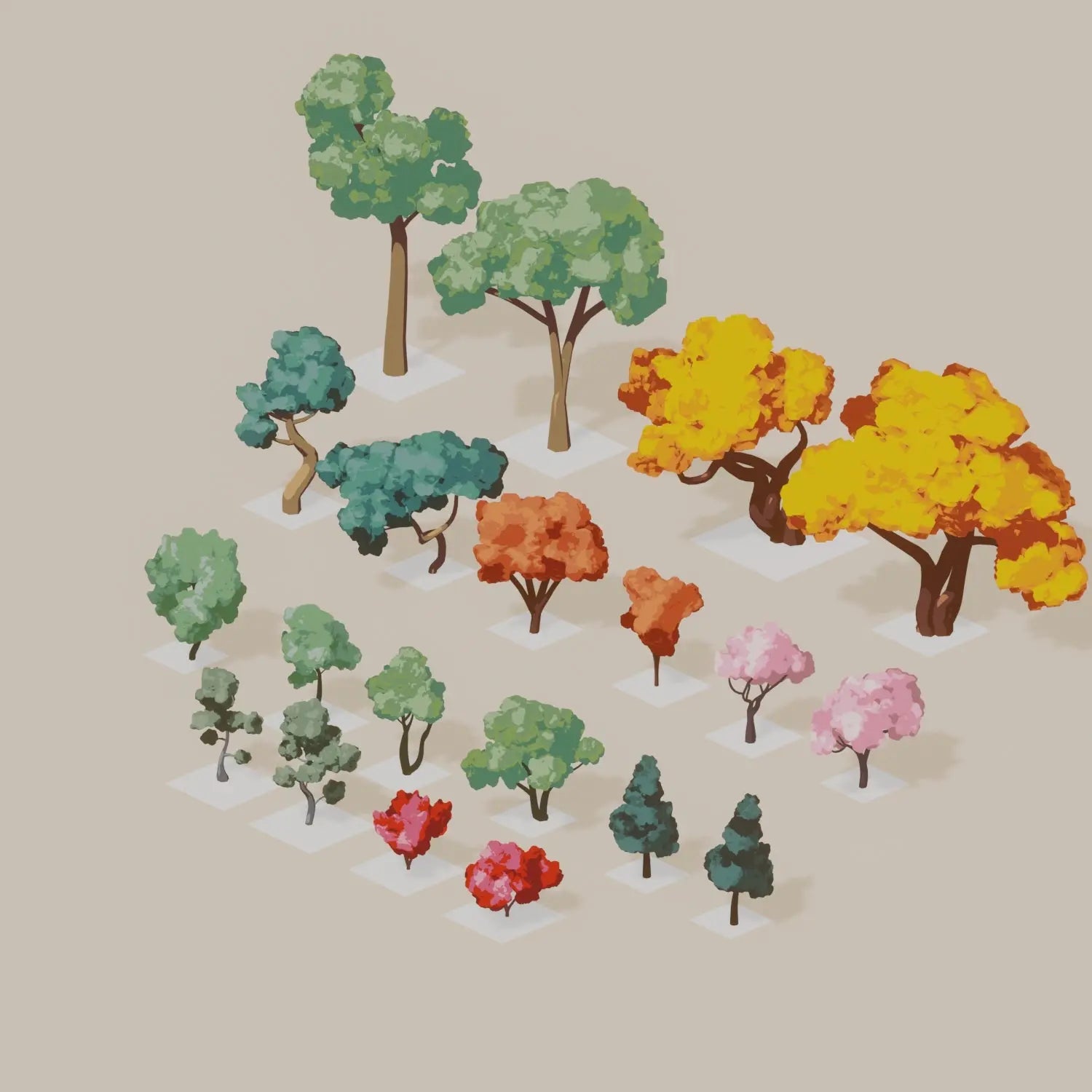
Don’t forget the foliage. Ghibli trees are often depicted with dense, almost cartoonishly lush canopies that seem to defy gravity. Use a combination of particle systems and hand-modeled leaves to create this effect. For the leaves, opt for simple, rounded shapes with soft edges—think of the way a child might draw a leaf, with a few distinct lobes and a gentle curve. Group these leaves into clusters, and then scatter them across the branches in a way that feels random yet intentional. The density of the foliage should vary, with some areas thicker than others to create depth and visual interest.
Texturing the Dream: From Pixels to Poetry
Texturing is where your Ghibli tree transitions from a collection of polygons to a living, breathing entity. The goal here is to mimic the hand-painted quality of Ghibli’s backgrounds, where colors are vibrant but not garish, and textures are rich yet subtle. Start with the trunk. Instead of a flat, uniform color, use a combination of hand-painted textures and procedural noise to create a surface that looks weathered and alive. Think of the bark as a canvas for tiny imperfections—cracks, moss, and subtle variations in color that tell a story of time passing.
For the leaves, the approach is different. Ghibli’s foliage often has a slightly translucent quality, as if each leaf is catching the light just right. Use a semi-transparent shader with a soft, diffuse base color. Add a subtle gradient to mimic the way light filters through a canopy, with lighter hues near the edges and deeper tones at the center. To enhance the hand-painted feel, apply a subtle noise texture to break up the uniformity of the color. This will give your leaves a more organic, less digital appearance.
The ground around your tree is just as important. Ghibli’s environments often feature soft, undulating terrain with patches of grass, moss, and fallen leaves. Use a combination of heightmaps and hand-painted textures to create a base layer that feels natural and inviting. Add details like small rocks, twigs, and even tiny mushrooms to ground your tree in its environment. The key is to keep everything cohesive—match the color palette of the ground to the tree, and use the same soft lighting to tie everything together.
Lighting the Scene: Painting with Light
Lighting is the secret ingredient that transforms a 3D model into a Ghibli masterpiece. Forget harsh, directional lights that cast deep shadows. Instead, embrace soft, diffused lighting that wraps around your tree like a warm embrace. Start with a three-point lighting setup, but tweak it to be as gentle as possible. Use a key light with a low intensity and a large, soft shadow to mimic the natural light of a Ghibli scene. Add a fill light with an even softer edge to lift the shadows, and a subtle rim light to separate the tree from the background.
Color temperature plays a crucial role in setting the mood. Ghibli’s environments often feature warm, golden-hour lighting with a slight blue tint in the shadows to create contrast. Use a color temperature around 5000K for the key light, and adjust the fill and rim lights to complement it. Don’t be afraid to push the saturation slightly—Ghibli’s colors are vibrant but never overwhelming. The goal is to create a scene that feels like a living painting, where every element is bathed in a soft, dreamy glow.

Environmental lighting is equally important. Use an HDRI (High Dynamic Range Image) with a soft, overcast sky to provide a natural base for your lighting. If you’re working in a closed environment, consider adding a subtle ambient occlusion pass to enhance the depth of your tree’s details. The goal is to create a scene that feels immersive and alive, where the light interacts with every surface in a way that feels organic and intentional.
Post-Processing: The Final Brushstrokes
Even the most meticulously modeled and textured tree can fall flat without the right post-processing. This is where you’ll add the final touches that elevate your creation from good to extraordinary. Start with a color grading pass to enhance the mood of your scene. Use a warm, golden tint for the highlights and a cooler blue for the shadows to create a sense of depth and contrast. Adjust the saturation and vibrance to make the colors pop, but keep them within the bounds of Ghibli’s signature palette—think soft pinks, gentle greens, and muted blues.
Add a subtle depth of field effect to draw the viewer’s eye to the focal points of your tree. A shallow depth of field can create a dreamy, almost cinematic feel, while a slightly deeper field can help ground your tree in its environment. Don’t overdo it; the goal is to enhance the composition, not obscure it. Next, apply a soft vignette to darken the edges of the frame slightly, guiding the viewer’s gaze toward the center of the image.
Finally, consider adding a subtle film grain or noise overlay to mimic the texture of a hand-painted illustration. This will give your render a more organic, less digital appearance. Use a low opacity and blend it softly into the image to avoid overwhelming the details. The key is subtlety—every effect should enhance the scene without drawing attention to itself.
Bringing It All Together: A Forest of Dreams
Now that you’ve mastered the art of creating a single Ghibli-style tree, it’s time to think bigger. A forest is more than just a collection of individual trees; it’s a living, breathing ecosystem where every element interacts with the others. Start by populating your scene with a variety of tree types—some tall and slender, others short and bushy, each with its own unique character. Use the same principles of silhouette, texture, and lighting, but allow for more variation to create a sense of depth and realism.
Consider the ground cover as well. Ghibli’s forests are often teeming with life—moss-covered rocks, delicate wildflowers, and patches of tall grass that sway gently in the breeze. Use a combination of hand-modeled elements and particle systems to create a lush, organic underbrush. Add details like fallen logs, mushrooms, and even tiny animals to bring your forest to life. The goal is to create a scene that feels like it could leap off the screen and into a storybook.
Don’t forget the atmosphere. Ghibli’s environments are often shrouded in a soft, ethereal mist that adds a sense of mystery and wonder. Use a combination of volumetric fog and particle effects to create this effect. Adjust the density and color of the fog to match the mood of your scene—warmer tones for a cozy, inviting forest, cooler tones for a more mystical, otherworldly setting. The fog should be subtle, just enough to soften the edges of your trees and create a sense of depth.
Finally, consider the composition of your scene. Ghibli’s backgrounds are often framed in a way that feels like a snapshot of a larger world. Use the rule of thirds to place your focal points, and allow negative space to give the viewer room to breathe. Think about the story you’re trying to tell—is this a peaceful glade bathed in golden light, or a dark, mysterious forest shrouded in mist? Let the composition guide the viewer’s eye and evoke the emotions you want to convey.
As you step back and admire your creation, remember that the true magic of Ghibli-style 3D art lies in its ability to evoke emotion. It’s not about perfection; it’s about capturing the essence of a hand-painted world within the digital realm. With each tree you model, each texture you paint, and each light you place, you’re not just creating an image—you’re crafting a story, a moment frozen in time. So embrace the imperfections, let your creativity flow, and watch as your digital forest comes to life, whispering tales of wonder and enchantment.


Leave a Comment