

Formatting an eBook can feel like wrestling a greased octopus—just when you think you’ve got it, another tentacle slithers free. You’ve poured your heart into writing, only to stare at a jumbled mess of misaligned text, stubborn chapter breaks, and fonts that seem to have a mind of their own. The frustration isn’t just about aesthetics; it’s about the silent rebellion of technology against your creative vision. Why does something so fundamental to publishing still feel like a labyrinth designed by a committee of sleep-deprived designers? The answer lies not in the tools themselves, but in the way we approach them—with patience, strategy, and a willingness to embrace the quirks of each platform.
Enter the holy trinity of eBook formatting: Calibre, Vellum, and Sigil. Each tool has its cult following, its ardent detractors, and a learning curve that can make even the most seasoned writer question their life choices. Calibre, the free and open-source Swiss Army knife, is beloved for its versatility but cursed for its byzantine interface. Vellum, the sleek and polished darling of Mac users, turns formatting into a near-magical experience—if you’re willing to pay the price. Sigil, the unsung hero of the DIY set, offers granular control but demands a willingness to tinker under the hood. Choosing between them isn’t just about preference; it’s about understanding your priorities, your budget, and your tolerance for digital chaos.
The Calibre Conundrum: Free Doesn’t Mean Effortless
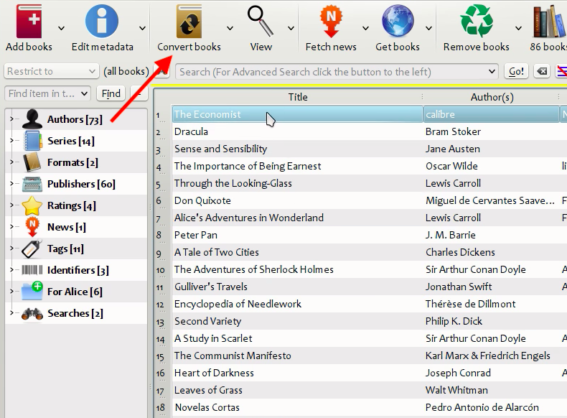
Calibre is the ultimate paradox—a tool that can do everything but feels like it’s designed to test your patience. On the surface, it’s a free, all-in-one solution for converting, editing, and managing eBooks. But beneath its utilitarian exterior lies a labyrinth of menus, submenus, and settings that could baffle even the most tech-savvy among us. The real magic of Calibre lies in its ability to convert files between formats with surprising accuracy, but only if you’re willing to wade through the options and tweak the settings until your eBook stops looking like a ransom note.
One of the most common pitfalls is the assumption that Calibre will automatically format your eBook perfectly. It won’t. While it excels at converting files, it often mangles the finer details—like spacing, font consistency, and image placement—unless you intervene. The key is to treat Calibre as a starting point rather than a finish line. Use it to convert your manuscript into an EPUB, then open the file in another editor (like Sigil) to fine-tune the details. This hybrid approach ensures that you get the best of both worlds: the convenience of Calibre’s conversion tools and the precision of manual editing.
Another quirk of Calibre is its handling of metadata. While it’s great for bulk editing and organizing your library, the metadata fields can be finicky. A misplaced semicolon or an extra space in the author’s name can cause your eBook to vanish from a reader’s device. The solution? Double-check every field before you hit “convert.” And if you’re feeling particularly adventurous, dive into Calibre’s advanced settings to customize the output. It’s like learning to drive a manual transmission—once you get the hang of it, you’ll wonder how you ever lived without it.
Vellum: The Mac User’s Dream (If You Can Afford It)
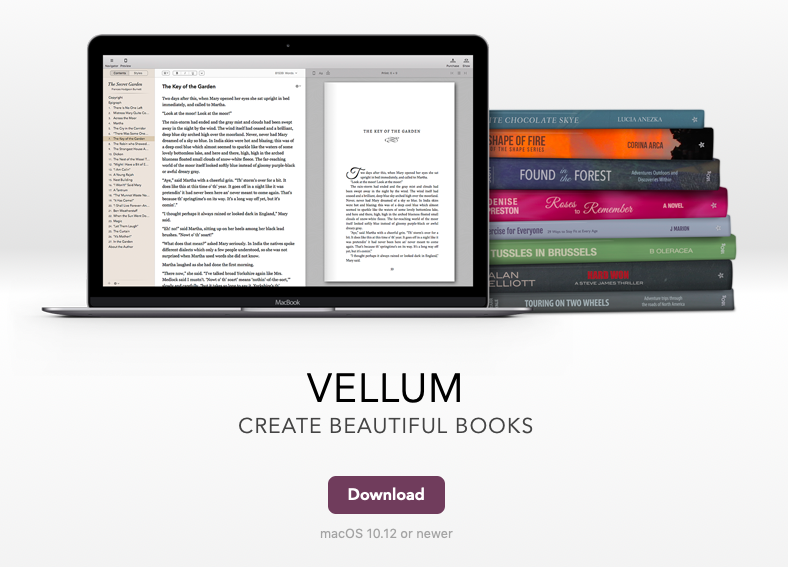
Vellum is the gold standard for eBook formatting, but it comes with a hefty price tag and a learning curve that can feel like climbing Mount Everest in flip-flops. Designed exclusively for Mac users, Vellum turns the tedious task of formatting into a sleek, almost artistic experience. With its drag-and-drop interface and intuitive design, it’s the closest thing you’ll get to a “set it and forget it” solution. But don’t let its polished exterior fool you—Vellum has its own set of quirks, particularly when it comes to handling complex layouts or non-standard fonts.
The real power of Vellum lies in its ability to create beautifully formatted eBooks with minimal effort. It handles everything from chapter headings to footnotes with grace, and its preview mode lets you see how your eBook will look on different devices before you publish. But Vellum’s strengths are also its limitations. It’s not designed for heavy customization, and if you’re looking to add interactive elements or complex styling, you’ll need to look elsewhere. For most authors, though, Vellum strikes the perfect balance between ease of use and professional results.
One of the biggest challenges with Vellum is its lack of flexibility when it comes to importing files. Unlike Calibre or Sigil, Vellum doesn’t play well with messy Word documents or poorly formatted manuscripts. To get the best results, you’ll need to start with a clean, well-structured file. This means stripping out unnecessary formatting, ensuring consistent styles, and organizing your manuscript into logical sections. It’s a bit like preparing a gourmet meal—you can’t skip the prep work and expect a Michelin-starred result.
Sigil: The DIY Enthusiast’s Secret Weapon
If Calibre is the Swiss Army knife and Vellum is the luxury sports car, then Sigil is the workshop where you build your own eBook from scratch. Sigil is a free, open-source editor that gives you complete control over every aspect of your eBook’s formatting. It’s not for the faint of heart—editing an EPUB file in Sigil is like performing surgery with a butter knife—but for those willing to put in the time, the results can be spectacular. Sigil is particularly well-suited for authors who want to add custom styling, interactive elements, or complex layouts that other tools can’t handle.
The learning curve for Sigil is steep, but the payoff is worth it. Unlike Vellum or Calibre, Sigil lets you dive into the raw code of your eBook, giving you the power to fix issues that other tools gloss over. For example, if you’re dealing with stubborn spacing issues or misaligned images, Sigil lets you tweak the HTML and CSS directly. It’s a bit like learning to cook with raw ingredients instead of a pre-packaged meal kit—you have to put in the effort, but the results are entirely your own.
One of the most powerful features of Sigil is its ability to validate your eBook against industry standards. This means you can catch errors before you publish, ensuring that your eBook looks and behaves the way you intended. Sigil also supports plugins, which can extend its functionality even further. Whether you’re looking to automate repetitive tasks or add advanced styling, there’s likely a plugin that can help. The downside? You’ll need to be comfortable with code, or at least willing to learn. But for those who embrace the challenge, Sigil is a game-changer.

Choosing Your Weapon: Which Tool Fits Your Needs?
The eternal question: Calibre, Vellum, or Sigil? The answer depends on your priorities, your budget, and your willingness to tinker. If you’re on a tight budget and willing to put in the time, Calibre is a solid choice—just be prepared to roll up your sleeves. If you’re a Mac user who values ease of use and professional results, Vellum is worth the investment. And if you’re a DIY enthusiast who wants complete control over your eBook’s formatting, Sigil is your best friend.
But here’s the thing: these tools aren’t mutually exclusive. Many authors use a combination of them to achieve the best results. For example, you might use Calibre to convert your manuscript into an EPUB, then open it in Sigil to fine-tune the details, and finally use Vellum to add the finishing touches. The key is to experiment and find the workflow that works best for you. Don’t be afraid to mix and match tools until you find the perfect fit.
Another factor to consider is your eBook’s complexity. If you’re writing a simple novel with minimal formatting, Vellum or Calibre might be all you need. But if you’re creating a cookbook, a textbook, or an eBook with lots of images and interactive elements, you’ll likely need the precision of Sigil. Think of it like building a house—you wouldn’t use a sledgehammer to hang a picture frame, but you also wouldn’t use a toothpick to frame a wall.
The Hidden Cost of “Good Enough” Formatting
It’s tempting to cut corners when formatting your eBook, especially when you’re eager to hit publish. But skimping on formatting can have real consequences. A poorly formatted eBook isn’t just an eyesore—it can frustrate readers, tank your reviews, and even make your book harder to find in online stores. Readers notice the little things: inconsistent spacing, misaligned text, and broken links. And in a world where first impressions matter more than ever, a sloppy eBook can be the difference between a five-star review and a scathing one-star rant.
The deeper issue here is the psychology of reading. When a reader picks up your eBook, they’re not just judging the content—they’re judging the entire experience. A well-formatted eBook signals professionalism and care, while a poorly formatted one can make even the most brilliant prose feel amateurish. It’s like serving a gourmet meal on a chipped plate—no matter how delicious the food is, the presentation will always detract from the experience.
This is why investing time in formatting isn’t just about aesthetics; it’s about respecting your readers. It’s about showing them that you care enough to present your work in the best possible light. And in a crowded marketplace, that kind of attention to detail can set you apart from the competition. So before you hit publish, take a step back and ask yourself: does this eBook reflect the quality of my writing? If the answer isn’t a resounding yes, it’s time to roll up your sleeves and get to work.
Formatting an eBook doesn’t have to be a soul-crushing experience. With the right tools, a bit of patience, and a willingness to experiment, you can turn a chaotic mess into a polished masterpiece. Whether you choose Calibre’s versatility, Vellum’s elegance, or Sigil’s raw power, the key is to embrace the process. After all, the best eBooks aren’t just well-written—they’re well-crafted, from the first word to the last pixel. So go ahead, dive in, and let your eBook shine.


Leave a Comment