

The Xbox controller isn’t just a peripheral—it’s a testament to human-centric design, a symphony of ergonomics that evolved through thousands of hours of meticulous refinement. Behind its sleek exterior lies a story of iterative mastery, where every contour, every button placement, and every material choice was sculpted by feedback from over 200 hands. This isn’t just a controller; it’s a masterclass in tactile harmony, a device that feels like an extension of the player rather than an obstacle between thought and action. Let’s peel back the layers of its ergonomic brilliance to uncover the secrets that make it the gold standard in gaming peripherals.
At first glance, the Xbox controller appears deceptively simple—a minimalist canvas of plastic and buttons. But its true genius lies in the invisible architecture that cradles your hands like a second skin. The design process wasn’t just about aesthetics; it was a forensic study of human biomechanics, where engineers dissected grip patterns, pressure points, and fatigue curves to craft something that feels intuitively correct. The result? A controller that doesn’t just sit in your hands—it *belongs* there.
The Evolution of a Grip: From Clunky to Kinetic
Early gaming controllers were often blocky, unforgiving monoliths that demanded contortions from players’ wrists and fingers. The Xbox controller, however, emerged from a different philosophy—one that prioritized ergonomic empathy. The first major breakthrough was the introduction of the three-pronged grip, a design that distributes weight across the palm, the base of the thumb, and the fingertips. This wasn’t just about comfort; it was about reducing the cognitive load of holding the device, allowing players to focus on the game rather than the controller.
The evolution didn’t stop there. Microsoft’s design team conducted exhaustive grip fatigue studies, where players of varying hand sizes—from petite to burly—were observed over extended gaming sessions. The findings were revelatory: the ideal controller isn’t one-size-fits-all but a modular marvel that adapts. The textured triggers, for instance, weren’t just for aesthetics; they were engineered to reduce slippage during intense sessions, ensuring that even the most aggressive button-mashing didn’t translate to a loss of control. The concave thumbsticks? A deliberate choice to nestle the thumb in a natural resting position, minimizing strain during prolonged use.
The Science of Button Placement: Where Intuition Meets Precision
Button placement on a controller isn’t arbitrary—it’s a delicate balance between muscle memory and spatial efficiency. The Xbox controller’s layout is a masterclass in this discipline. The ABXY buttons, for example, are positioned in a diamond formation not just for symmetry, but because it mirrors the natural resting position of the fingers. This isn’t a coincidence; it’s the result of ergonomic mapping, where designers used high-speed cameras to track how players’ fingers naturally curl and extend during gameplay.
The triggers, too, were a revelation. Unlike traditional linear triggers, the Xbox’s hollow-curve triggers were designed to reduce finger fatigue by allowing the index finger to rest in a natural arc. This might seem like a minor detail, but in competitive gaming, where split-second reactions matter, even a millimeter of unnecessary movement can be the difference between victory and defeat. The rear paddles, often overlooked, were another ergonomic triumph—positioned to be accessible without disrupting the primary grip, they cater to players who demand extra precision without sacrificing comfort.
But the real magic lies in the dynamic tension between the buttons. The D-pad, for instance, isn’t just a cross-shaped protrusion—it’s a tactile feedback loop, where the resistance of each direction is calibrated to provide just enough feedback to confirm a press without causing accidental inputs. This level of nuance ensures that even in the heat of battle, players can execute complex combos with surgical precision.
Materials and Texture: The Unsung Heroes of Comfort
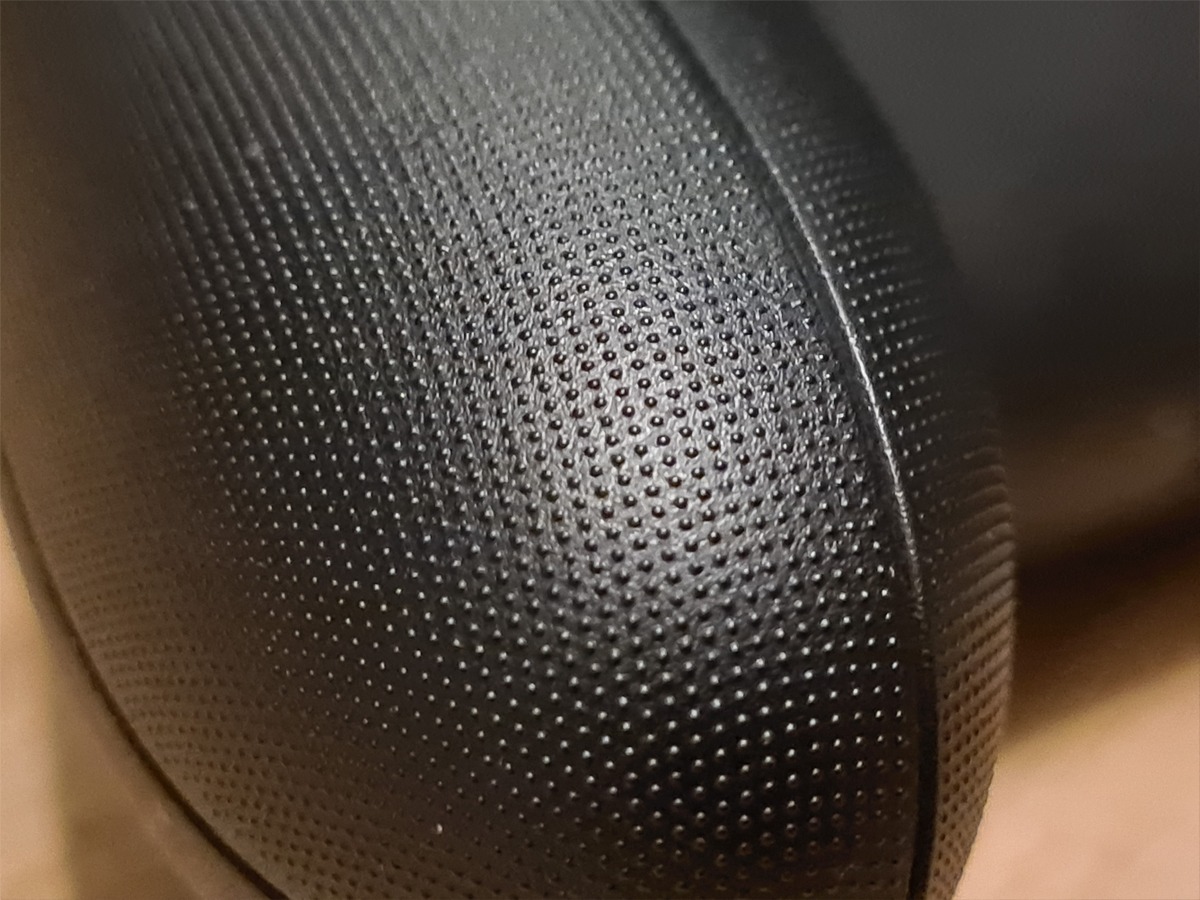
Ergonomics isn’t just about shape—it’s about sensation. The Xbox controller’s materials were chosen not just for durability, but for their ability to create a sensory feedback loop that enhances immersion. The matte finish of the body isn’t just for grip; it’s a deliberate rejection of the slick, slippery surfaces of early controllers. This texture ensures that even sweaty palms don’t betray the player, maintaining a secure hold without the need for a death grip.
The thumbsticks are another case study in material science. The rubberized caps aren’t just for aesthetics—they’re engineered to provide optimal friction, reducing the need for constant readjustment. The triggers, too, feature a micro-textured surface that prevents finger slippage, even during the most frantic sessions. And let’s not forget the weight distribution—the controller’s center of gravity is carefully balanced to sit just below the palm, reducing wrist strain and allowing for effortless maneuvering.

The Hidden Ergonomics: What You Don’t Notice (But Your Hands Do)
Some of the most brilliant ergonomic features of the Xbox controller are the ones you never consciously register—but your hands do. Take the contoured back, for example. Unlike flat controllers that force your palm to conform to the device, the Xbox’s back is sculpted to fit the natural arch of the hand. This isn’t just about comfort; it’s about reducing ulnar deviation, a common cause of wrist strain in gamers. The result? Fewer aches, less fatigue, and the ability to game for hours without breaking a sweat.
The button layout also follows a principle called proximal reach optimization, where the most frequently used buttons (like the face buttons) are placed within the primary grip zone—the area where your fingers naturally rest. Less frequently used buttons, like the menu or view buttons, are positioned slightly outside this zone but still within easy reach, ensuring they don’t disrupt the primary grip. This might sound like a minor detail, but in practice, it means that players can execute complex inputs without having to reorient their entire hand.
Even the sound design of the controller plays a role in its ergonomic prowess. The subtle click feedback of the buttons isn’t just auditory—it’s a tactile confirmation that a press has been registered. This reduces the need for visual confirmation, allowing players to keep their eyes on the screen rather than the controller. It’s a small detail, but one that speaks to the holistic approach Microsoft took in designing the device.
For Every Hand: The Universal Appeal of Adaptive Design
One of the most impressive aspects of the Xbox controller’s ergonomics is its adaptive universality. It doesn’t just cater to the average hand size—it accommodates a vast spectrum of users, from children with small palms to adults with larger, more dexterous hands. The modular thumbstick caps are a perfect example of this adaptability. Players can swap them out for different sizes, allowing them to customize the controller to their exact grip preferences.
The controller’s symmetrical design is another stroke of genius. Unlike asymmetrical controllers that favor one hand over the other, the Xbox controller is ambidextrous, making it equally accessible to left- and right-handed players. This isn’t just about inclusivity—it’s about reducing the cognitive load of having to adapt to a controller that feels “wrong” in one hand.

The Legacy of a Design: Why the Xbox Controller Stands the Test of Time
The Xbox controller isn’t just a product—it’s a philosophy. Its ergonomic brilliance isn’t confined to a single generation; it’s a template that has influenced countless other controllers, from PlayStation to third-party peripherals. The lessons learned from its development—from grip fatigue studies to material science—have become industry standards, raising the bar for what a gaming controller should be.
But perhaps the most enduring aspect of its design is its human-centric approach. The Xbox controller doesn’t just work for players—it works with them. It’s a device that evolves with the user, adapting to their habits, their grip, and their needs. In a world where technology often feels cold and impersonal, the Xbox controller stands as a reminder that the best designs are the ones that feel like an extension of ourselves.
So the next time you pick up an Xbox controller, take a moment to appreciate the invisible artistry at play. Every curve, every texture, every button placement is a testament to the 200 hands that shaped it—not just in design, but in the countless hours of playtesting, refinement, and obsession over the smallest details. This isn’t just a controller. It’s a masterpiece of ergonomic engineering, a device that proves that great design isn’t just about what you see—it’s about what you feel.


Leave a Comment