

Picture this: a crisp, high-resolution image of your product—except for that one stubborn background that refuses to vanish. You’ve spent hours tweaking layers in Photoshop, only to end up with jagged edges or a halo of leftover pixels. What if I told you there’s a way to erase backgrounds with surgical precision, without ever opening a complex software suite? No layers. No masks. No Photoshop. Just pure, unadulterated simplicity.
For years, background removal was the exclusive domain of professionals wielding expensive tools and arcane techniques. But today, the landscape has shifted. The democratization of AI has birthed tools so intuitive, even a child could master them. Whether you’re a small business owner, a content creator, or just someone tired of wrestling with clunky software, the future of background removal is here—and it’s effortless.
In this guide, we’ll uncover the secrets to flawless background erasure using nothing but your browser and a few clicks. Prepare to redefine your workflow. Prepare to see images in a new light. The era of background removal without Photoshop isn’t just coming—it’s already here.
The Silent Revolution: How AI Changed Background Removal Forever
Imagine a world where background removal is as simple as dragging and dropping an image. No steep learning curves. No hours spent on tutorials. Just instant, pixel-perfect results. That world exists, thanks to artificial intelligence. At the heart of this revolution lies a technology known as computer vision, a branch of AI that teaches machines to interpret visual data the way humans do.
Traditional methods relied on manual selection tools—lasso, magic wand, or pen tool—which demanded precision and patience. But AI-powered tools analyze the entire image in milliseconds, identifying the subject and isolating it from the background with uncanny accuracy. This isn’t just faster; it’s fundamentally different. It’s like having a digital art director whispering, “This is the subject. Everything else? Gone.”
What makes this possible is deep learning, a subset of AI that mimics the neural networks of the human brain. These systems are trained on millions of images, learning to distinguish between foreground and background with remarkable consistency. The result? A tool that doesn’t just remove backgrounds—it understands them.
And the best part? You don’t need a supercomputer. Most modern AI background removers run in the cloud, processing your image in seconds. No installation. No updates. Just open a browser, upload your file, and watch the magic unfold.
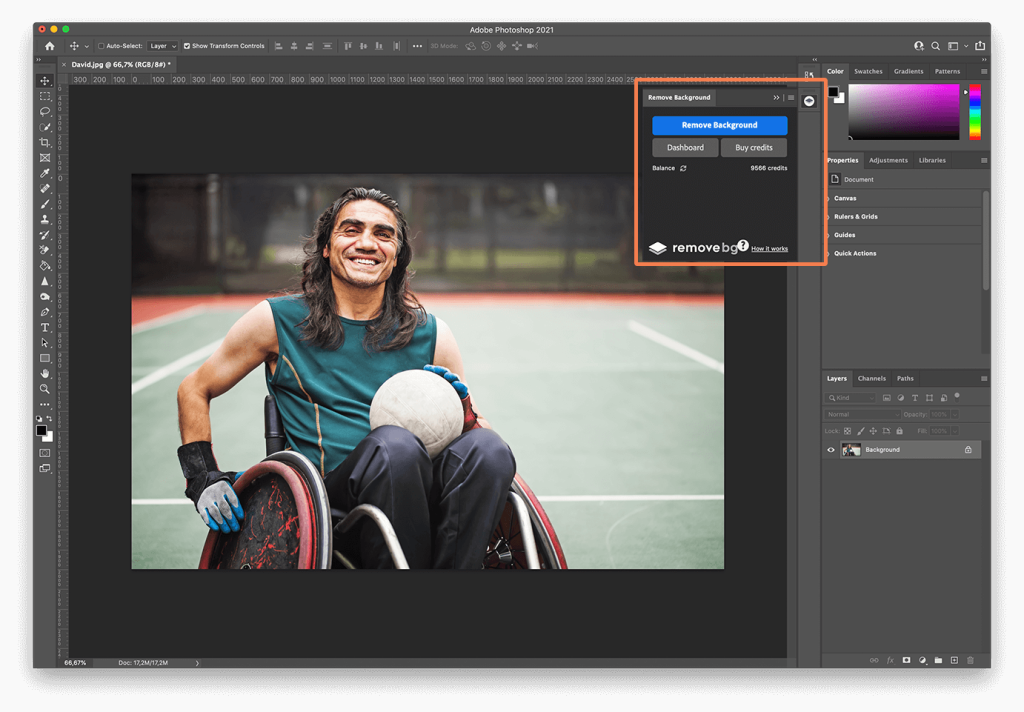
The Five-Minute Method: Removing Backgrounds Without a Single Click
Let’s cut to the chase. You want results, and you want them now. Here’s how to erase any background in under five minutes—no Photoshop, no plugins, no fuss.
Step one: Choose your weapon. There are several AI-driven platforms available, but for this guide, we’ll focus on the most accessible. Upload your image to a reputable background remover (many offer free tiers). The system will analyze your file, identifying edges, textures, and contrasts to separate the subject from the background.
Step two: Wait. Yes, really. In most cases, the AI does the heavy lifting in under 30 seconds. You’ll see a preview almost instantly, with the background already stripped away. If the AI misinterprets a detail—say, a wispy strand of hair—you can fine-tune the selection using simple sliders or brush tools. No complex masks. No layer confusion. Just intuitive adjustments.
Step three: Download. Export your image in your preferred format—PNG for transparency, JPEG for web use. The file is ready to drop into presentations, websites, or social media posts. No artifacts. No halos. Just a clean, professional finish.
But what if your image is particularly tricky? What if it’s a product shot with intricate details or a portrait with fine hair? Modern AI tools handle these scenarios with surprising grace. They use edge refinement algorithms to preserve delicate features, ensuring that even the most complex subjects emerge unscathed. It’s not just removal—it’s preservation.
And if you’re skeptical, try it yourself. The proof is in the pixels. Upload a photo, remove the background, and compare the result to your best Photoshop attempt. You might be surprised.

The Art of the Subtle Cut: Refining Edges for a Polished Look
Background removal isn’t just about erasing pixels—it’s about crafting a seamless transition between subject and transparency. A poorly executed cut can leave behind jagged edges or a faint glow, betraying the illusion of a clean separation. But with the right techniques, you can achieve a finish so smooth, it’s indistinguishable from professional retouching.
Start by zooming in on your subject. Look for any inconsistencies along the edges. AI tools often do a stellar job, but they’re not infallible. Use a feathering tool to soften the transition between the subject and the transparent area. This creates a gentle gradient, eliminating harsh lines and giving the image a more organic feel.
For subjects with fine details—think hair, fur, or lace—employ a refine edge brush. This tool allows you to paint over problem areas, telling the AI to preserve or remove specific pixels. It’s like having a scalpel for your digital canvas, giving you surgical control over the final output.
Another pro tip: work in layers. Even if you’re not using Photoshop, many AI tools let you export your image with a transparent background, which you can then layer over any backdrop in a design program. This flexibility ensures your subject looks natural, whether it’s placed on a white background or a vibrant gradient.
And don’t forget about color correction. Removing a background can sometimes leave behind subtle color casts or shadows. Use a levels adjustment or curves tool to restore balance, ensuring your subject looks vibrant and true to life. The goal isn’t just to remove the background—it’s to make the subject feel at home in its new environment.
With these refinements, your images won’t just look edited—they’ll look intentional.
Beyond the Basics: Advanced Techniques for Flawless Results
Once you’ve mastered the fundamentals, it’s time to elevate your background removal game. These advanced techniques will help you tackle even the most challenging images with confidence.
First, consider batch processing. If you’re working with multiple images—say, a product catalog—look for tools that support bulk uploads. AI-powered platforms like Remove.bg and Canva’s background remover allow you to process dozens of files at once, saving hours of repetitive work. Just drag, drop, and let the AI do the rest.
Next, explore masking alternatives. Some AI tools generate a mask layer alongside your transparent image, giving you more control over adjustments. This is particularly useful for complex scenes where the AI might struggle to differentiate between the subject and background. With a mask, you can manually refine areas that need extra attention.
For images with challenging lighting or shadows, try HDR blending. This technique involves merging multiple exposures of the same image to capture a wider range of tones. While it’s not a direct background removal method, it can enhance the overall quality of your subject, making it easier for AI tools to isolate it accurately.
Another game-changer is automated background replacement. Some platforms let you swap out the removed background in real time, allowing you to experiment with different colors, textures, or even virtual environments. This is perfect for e-commerce sites, where you might want to showcase a product against multiple backdrops without re-shooting.
And let’s not overlook the power of cloud integration. Many AI background removers sync with storage services like Google Drive or Dropbox, streamlining your workflow. Upload an image from your cloud, process it, and export it back—all without ever leaving your browser.
These techniques aren’t just for professionals. They’re for anyone who wants to push the boundaries of what’s possible with background removal. The tools are here. The knowledge is here. All that’s left is for you to take the leap.
The Future is Transparent: What’s Next for Background Removal?
We’re standing on the precipice of a new era in digital imaging. The tools we use today are just the beginning. Tomorrow’s AI will be faster, smarter, and more intuitive, capable of removing backgrounds in real time as you shoot. Imagine a camera that automatically crops out distractions, leaving only the subject in sharp focus. It’s not science fiction—it’s the next logical step.
Already, companies are experimenting with on-device AI, where background removal happens locally on your smartphone or computer, eliminating the need for cloud processing. This means faster results, enhanced privacy, and offline functionality. The future is decentralized, and it’s arriving sooner than we think.
We’re also seeing the rise of 3D background removal, where AI can isolate subjects in three-dimensional space, allowing for more dynamic compositions. This technology is still in its infancy, but it holds immense potential for augmented reality, virtual try-ons, and immersive storytelling.
And let’s not forget the ethical implications. As AI becomes more sophisticated, questions about ownership, consent, and deepfakes will take center stage. The ability to seamlessly remove backgrounds is a double-edged sword—it empowers creators but also raises concerns about misuse. The onus is on us to use these tools responsibly, ensuring that innovation serves humanity, not the other way around.
The future of background removal isn’t just about technology. It’s about reimagining how we interact with images, how we tell stories, and how we present ourselves to the world. It’s about breaking free from the constraints of the past and embracing a future where creativity knows no bounds.
There was a time when background removal was a luxury reserved for those with deep pockets and technical expertise. Those days are gone. Today, it’s a skill anyone can master, a tool anyone can wield. The barriers have crumbled. The possibilities are endless.
So go ahead. Upload that image. Watch as the background vanishes like a ghost. Revel in the crisp edges, the seamless transitions, the professional polish. You’re not just removing a background—you’re redefining what’s possible.
The future isn’t just transparent. It’s yours to shape.


Leave a Comment